Guía · Artículo 02 Guide · Article 02
Entiende los resultados: estado del rastreo y frescuraUnderstand your results: crawl status and freshness
Tras lanzar un rastreo, los números no aparecen de golpe: primero APEspider recorre tus páginas y después las analiza. El estado que ves te dice en qué punto está y por qué a veces todavía no hay datos.
Estados del rastreo
- Rastreando… — APEspider está recorriendo tus páginas. Los números aparecerán cuando termine el rastreo.
- Procesando… — el rastreo terminó y el analizador está calculando las incidencias. Los números aparecen en un momento; refresca para actualizar.
- Completado (OK) — todas las fuentes esperables se analizaron. Los números reflejan la imagen completa de ese rastreo. En la lista de rastreos lo verás como OK; mientras avanza, como EN CURSO.
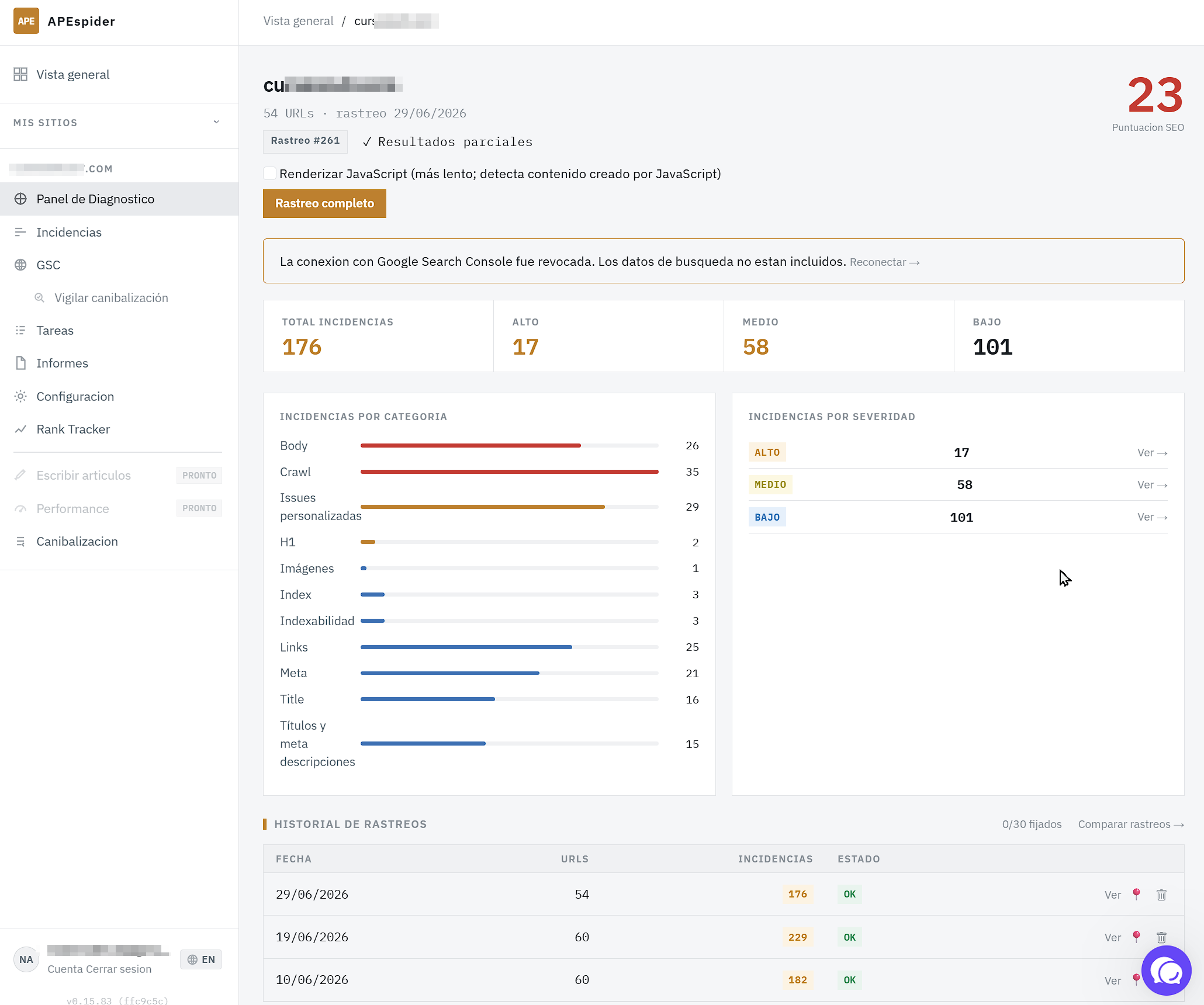
- Resultados parciales — faltan fuentes por incluir (Google Search Console, velocidad). Los números mostrados son correctos para lo analizado hasta ahora; se completan cuando lleguen las demás fuentes.
- Crawl con errores — el último rastreo falló. Las cifras que veas vienen de rastreos anteriores; lanza un Rastreo completo nuevo para refrescarlas.
Por qué a veces aún no hay datos
- Acabas de lanzarlo. Mientras el estado sea Rastreando… o Procesando…, los conteos todavía no están listos. Refresca la página en un minuto.
- El número se muestra como
—. Es honesto a propósito: el analizador aún no ha terminado de procesar ese rastreo. Cuando termine, el—se convierte en el dato real. - Rastreo completado pero sin URLs. El rastreador terminó pero no recogió ninguna página. Suele ser porque el sitio bloquea rastreadores o estuvo inaccesible. Revisa que el dominio sea correcto y vuelve a lanzarlo.
Qué hacer: si el estado es Rastreando… o Procesando…, espera y refresca. Si es Crawl con errores o sin URLs, lanza un rastreo nuevo. Si vuelve a fallar, escríbenos desde el widget de ayuda y lo miramos contigo.
After you launch a crawl, the numbers don't show up all at once: APEspider first walks your pages and then analyzes them. The status you see tells you where it is and why there may be no data yet.
Crawl statuses
- Crawling… — APEspider is walking your pages. The numbers will appear once the crawl finishes.
- Processing… — the crawl finished and the analyzer is computing issues. The numbers appear in a moment; refresh to update.
- Completed (OK) — all expected data sources were analyzed. The numbers reflect the full picture for that crawl. In the crawl list it shows as OK; while it's still running, as IN PROGRESS.
- Partial results — some data sources aren't included yet (Google Search Console, page speed). The numbers shown are accurate for what's been analyzed so far; they fill in as the other sources arrive.
- Crawl failed — the last crawl failed. Any figures you see come from older runs; launch a new Full Crawl to refresh them.
Why there's sometimes no data yet
- You just launched it. While the status is Crawling… or Processing…, the counts aren't ready yet. Refresh the page in a minute.
- A number shows as
—. That's honest on purpose: the analyzer hasn't finished processing that crawl. Once it does, the—turns into the real value. - Crawl completed but no URLs. The crawler finished but didn't collect any pages. Usually that's because the site blocks crawlers or was unreachable. Check the domain is correct and launch it again.
What to do: if the status is Crawling… or Processing…, wait and refresh. If it's Crawl failed or no URLs, launch a new crawl. If it fails again, message us from the help widget and we'll look at it with you.