Guía · Artículo 03 Guide · Article 03
Conecta Google Search ConsoleConnect Google Search Console
Al conectar Google Search Console (GSC), APEspider cruza tu rastreo con los datos reales de búsqueda: impresiones, clics, CTR y posición media. Así ves no solo qué problemas técnicos tienes, sino qué páginas y búsquedas te traen tráfico.
1. Conecta tu cuenta
Tienes varias entradas, según dónde estés:
- En el asistente de bienvenida: en el paso Google Search Console, pulsa Conectar Google Search Console. Si aún no quieres, pulsa Lo haré más tarde.
- En la página del sitio: pulsa Sincronizar GSC.
- En el panel GSC: pulsa Conectar GSC.
Te llevará a Google para autorizar el acceso a tu cuenta.
Qué verás: vuelves a APEspider con la cuenta de Google ya autorizada.
2. Elige la propiedad
- En Selecciona una propiedad, elige la propiedad de GSC que corresponde a tu sitio. Puede ser de tipo Dominio o URL prefix.
- Solo se muestran las propiedades que coinciden con tu dominio (verás ✓ Coincide) y, marcadas como ⚠ Dominio distinto, las que no encajan.
- Pulsa Analizar esta propiedad.
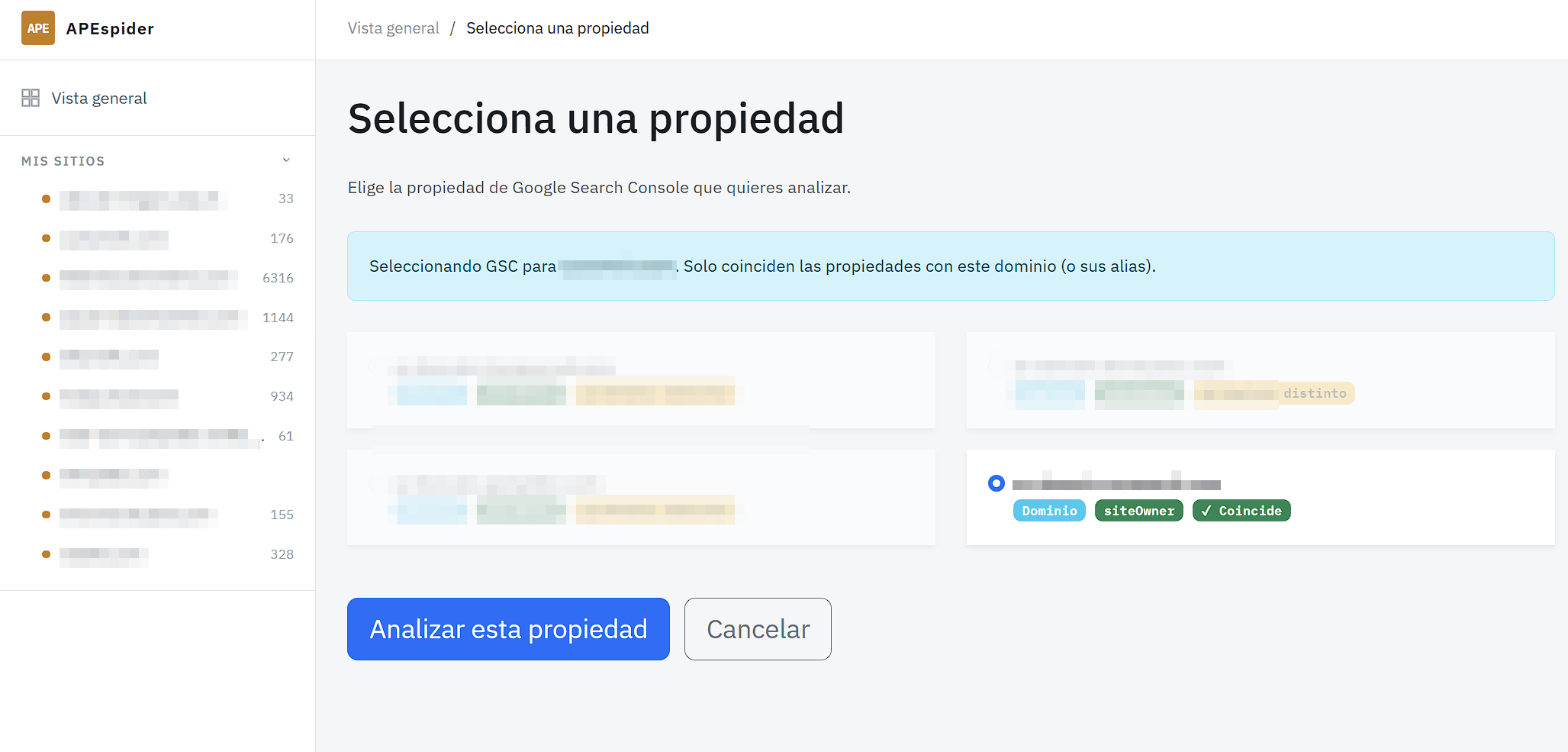
Qué verás: la propiedad queda enlazada a tu sitio.
3. Sincroniza los datos
Pulsa Sincronizar ahora para traer los datos de GSC.
Qué verás: una vez sincronizado, en el panel GSC aparecen Impresiones, Clics, CTR y Posición media, con pestañas como Resumen, Rendimiento, Páginas, Queries y Oportunidades rápidas.
GSC es descubrimiento, no seguimiento de ranking
La posición media de GSC es un promedio agregado, sin contexto de mercado: te dice por qué búsquedas ya apareces y dónde hay margen (las Oportunidades rápidas son posiciones 5–20 con buen volumen). Es ideal para descubrir queries y páginas que merece la pena trabajar.
No la confundas con seguir el ranking de una keyword: para vigilar la posición de una palabra clave concreta en el tiempo, usa el Rank Tracker.
Si algo falla: si la sincronización falla o la conexión expira, verás un aviso para Reconectar GSC o Reintentar sync. Los datos que se muestren mientras tanto son de la última sincronización correcta.
Connecting Google Search Console (GSC) lets APEspider combine your crawl with real search data: impressions, clicks, CTR, and average position. You see not just your technical issues, but which pages and searches bring you traffic.
1. Connect your account
There are a few entry points, depending on where you are:
- In the welcome wizard: on the Google Search Console step, click Connect Google Search Console. If you'd rather not yet, click I'll do it later.
- On the site page: click Sync GSC.
- In the GSC panel: click Connect GSC.
This takes you to Google to authorize access to your account.
What you'll see: you return to APEspider with your Google account authorized.
2. Pick the property
- In Select a property, choose the GSC property that matches your site. It can be a Domain or URL prefix property.
- Only properties matching your domain are shown (you'll see ✓ Match); ones that don't fit are flagged as ⚠ Different domain.
- Click Analyze this property.
What you'll see: the property is linked to your site.
3. Sync the data
Click Sync now to pull in GSC data.
What you'll see: once synced, the GSC panel shows Impressions, Clicks, CTR, and Average position, with tabs such as Summary, Performance, Pages, Queries, and Quick wins.
GSC is for discovery, not rank tracking
GSC's average position is an aggregated average with no market context: it tells you which searches you already appear for and where there's room (the Quick wins are positions 5–20 with decent volume). It's great for discovering queries and pages worth working on.
Don't mistake it for tracking a keyword's rank: to watch a specific keyword's position over time, use the Rank Tracker.
If something fails: if the sync fails or the connection expires, you'll see a prompt to Reconnect GSC or Retry sync. Any data shown in the meantime is from the last successful sync.